Digital signage can make changing information easier to publish, keep messages consistent across locations, and help people find useful information where they need it. Those benefits are strongest when the information changes regularly and someone takes responsibility for keeping it correct.
A screen alone does not guarantee attention, understanding, or extra sales. Much of the advantage comes from the software and working process behind it. If the components are unfamiliar, the digital signage basics guide explains how displays, players, and a content management system (CMS) work together.
Key Takeaways
- Central publishing can simplify updates, but someone still needs to check accuracy and remove expired content.
- Useful information, readable placement, and the right timing matter more than adding motion to a screen.
- Playback reports confirm that content ran. They do not establish that people understood it or acted on it.
- Digital and permanent signs can work together. Information that rarely changes may not need a screen.
Keep changing information current
Central publishing can remove the need to update each display separately. A venue can change an event location, an office can revise a staff notice, and a restaurant can replace an unavailable menu item without printing and distributing a new version.
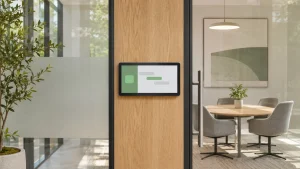
The available controls depend on the system. For example, Zoom's digital signage documentation describes shared playlists that can be applied to multiple rooms or locations. Changes to a shared playlist take effect wherever it is assigned. That is a specific publishing capability, not a promise that every screen system works the same way.
Faster publishing also makes it easier to distribute an error. A changed room number is helpful only if it is correct and reaches the appropriate displays. Assign an owner to time-sensitive content and give it a review or removal date. CCAC's digital signage standards provide a practical example: submissions need an end date, and the requester remains responsible for updates or removal when details change.
To judge the benefit, track how long an approved correction takes to appear on the actual screen. Check for old notices as well as successful uploads.
Put useful information where people need it
A display can answer a question at the place where it arises. Visitors entering a building may need reception directions. People waiting for an event may need a room assignment. Employees passing a shared notice area may need a shift-specific announcement.
The same content will not suit every location. Cornell's content guidance distinguishes a seated waiting area from a busy hallway: people in the hallway have less time to read. A detailed event schedule that works beside seating may be almost useless to someone walking past.
Placement and readability need a physical check. Creighton University recommends testing at likely viewing distances rather than relying only on the content editor's preview. Stand where a visitor will stand, look for glare, and check whether the main message is still clear. The digital signage installation guide covers placement and infrastructure considerations before a screen is installed.
For wayfinding, ask an unfamiliar visitor to find the destination. Their ability to complete that task tells you more than whether the display looks impressive from the reception desk.
Match messages to the time and location
Scheduling and location controls let a supported system show different information to different groups. A campus can separate building-specific events from campus-wide announcements. A venue can show today's program instead of asking visitors to search a month-long calendar.
Samsung's explanation of signage content management describes scheduling by start and end dates, time of day, and display location. These controls can reduce repeated publishing work, but they still need accurate inputs and sensible assignments.
Connecting an existing information source can be more useful than creating another set of slides. It is not always plug-and-play. In a LiveWhale practitioner discussion from June 2025, a contributor describing Beloit's setup explained that they built a fixed-size webpage to show upcoming events because their signage setup lacked the event-list integration they needed. The screen then displayed that page as part of its rotation.
That experience illustrates a question worth asking before expecting automation to save time: can the system reuse the calendar, menu, or notice source that staff already maintain? Check who fixes the connection and what appears if that source stops updating.
Support product discovery without promising a sales lift
In retail, a relevant display can introduce a product while shoppers are near it. Whether that changes purchasing depends on the product, message, location, and shopping context.
The Journal of Marketing paper In-Store Advertising with Digital Signage examined campaigns run from 2018 to 2022 at stores belonging to one retailer in a western European country. Its system used shopping-cart tags to trigger audiovisual ads and connect exposure records with purchases. The researchers found a positive effect on purchases of featured products, with differences across products, timing, campaign content, and distance from the advertised product.
That does not establish a standard sales increase for any store that installs a screen. The system, setting, and measurement method were specific. It also does not mean a visitor information display should be judged by sales at all.
For a retail test, choose a defined product or shopper question. Check that the product is available and that the message helps at that location. If sales change, consider other causes, including promotions, stock availability, and traffic, before attributing the change to signage.
Reduce repeated printing and distribution work
Replacing frequently revised posters with digital content can remove some printing, delivery, and replacement tasks. The strongest opportunity is often information that changes repeatedly across several locations, rather than a permanent label that has been correct for years.
The work does not disappear entirely. Someone still creates the content, checks it, manages access, and deals with equipment or software problems. Compare the tasks removed with the tasks added. A digital signage cost breakdown helps account for hardware, software, installation, and ongoing ownership costs instead of comparing a screen purchase with paper alone.
Avoid assuming that less paper automatically means a lower total environmental impact. That would also require considering the display, electricity use, and equipment lifecycle. A narrower claim is easier to verify: this particular update no longer required a replacement print.
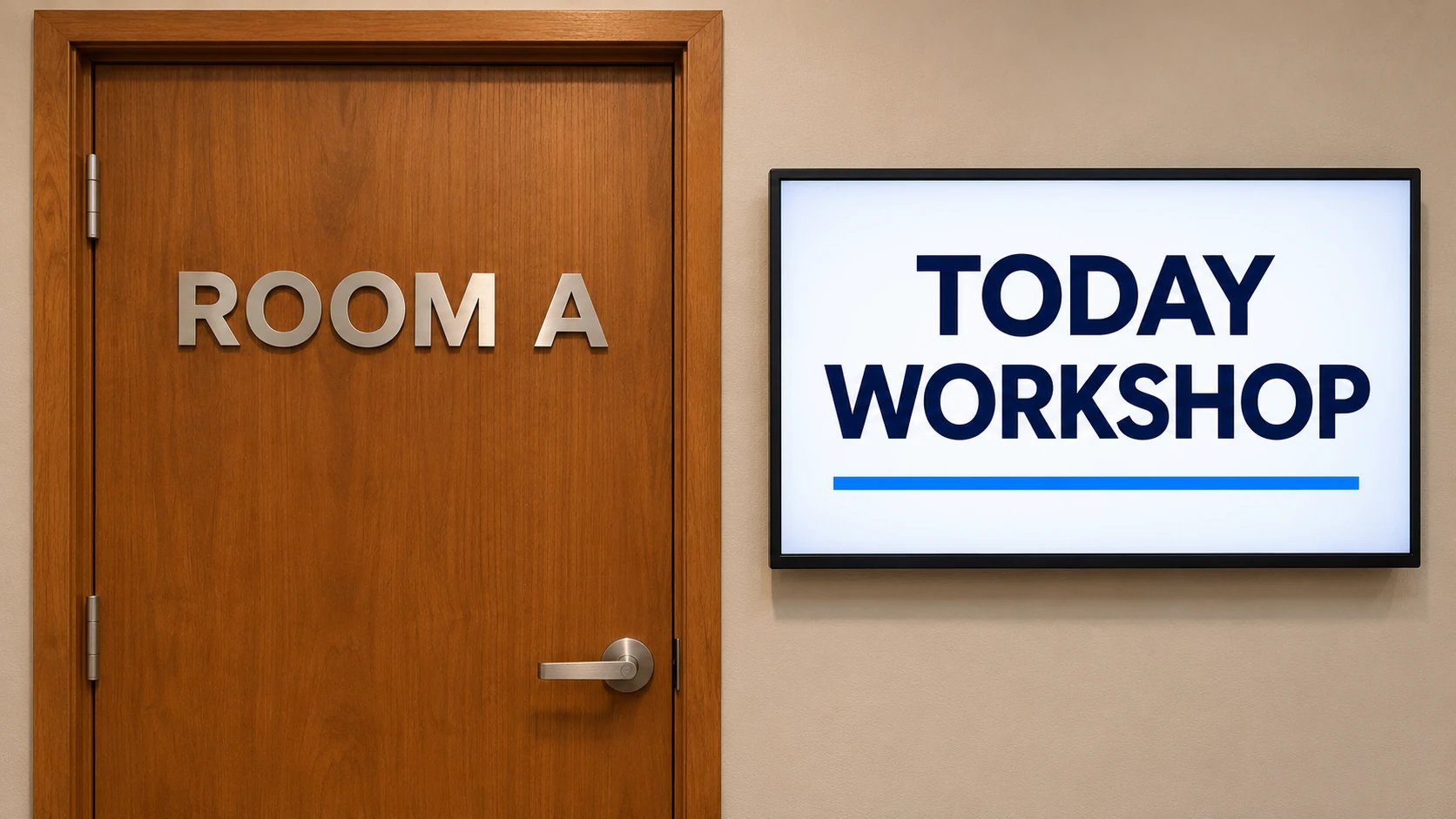
Permanent and changing information can share the same location. A physical “Room A” label can identify a room while a nearby digital sign shows today's workshop. Neither needs to replace the other.
Check whether the benefit actually happened
Choose a measure that matches the problem you wanted to solve. Indiana University's signage guidance distinguishes return on objectives from financial return. Visitor feedback, observation, and whether people find the information useful can matter even when the display has no sales purpose.
Playback data answers a narrower question. OptiSigns' proof-of-play documentation describes records of when each asset started and stopped. EasySignage's documentation separately identifies audience measures that require an AI camera. A playback log alone cannot tell you whether someone read the message.
You do not need audience-tracking equipment to begin checking basic usefulness. For a small rollout, use appropriate observations, simple task tests, and voluntary feedback.
- More current information: Check actual screens for correct details and expired notices. An upload confirmation is not enough.
- Easier navigation: Ask an unfamiliar visitor to find the destination. A good-looking directory is not proof that it helps.
- Better communication: Ask whether people understood the relevant message. A high playback count cannot answer that question.
- Less repetitive work: Compare update tasks and staff time before and after. Fewer printed sheets alone do not show the total work saved.
- More useful promotion: Compare relevant outcomes while accounting for other changes. One busy sales day does not establish an effect.
Use comparable situations when checking progress. A quiet weekday and a crowded weekend are not interchangeable. Record the content, timing, and location so you can distinguish a useful change from a different audience or operating condition.
When a simpler sign is the better choice
A screen may add little value to information that rarely changes. A clear permanent label can remain available without power, software, or a publishing account. Digital signage is also a poor fit if nobody can maintain the content or if the proposed location makes the message hard to read.
Keep digital content focused on the jobs it handles well: updates, relevant schedules, changing information, and messages that benefit from that location. Keep fixed information stable where a simple sign serves people better.
Before expanding a rollout, select one real problem, identify who owns the information, and decide how to check improvement. If visitors can find the room, staff can correct a notice more easily, or a repetitive task takes less work, you have a useful result to build on.