The short answer: use a consumer TV when the installation is indoors, landscape, limited to ordinary daily hours, easy to replace, and non-critical. Choose a commercial signage display when you need a stated 16/7 or 24/7 duty cycle, portrait installation, higher-brightness or anti-glare options, centralized device control, commercial-use warranty, a stable multi-site model, or lower tolerance for downtime.
That is a conditional answer, not a slogan. The label on the box does not replace the specification sheet. Some professional displays are designed for 16/7 rather than 24/7. Some consumer TVs work reliably for years in light-duty signage. Warranty language, orientation support, brightness, interfaces, and operating guidance vary by model.
A 60-second decision tree
- Will the screen run longer than a normal business day? If yes, look for an explicit 16/7 or 24/7 rating.
- Will it face a bright window, strong retail lighting, or an outdoor environment? If yes, specify brightness, glare treatment, and environmental protection for that location.
- Will it be mounted vertically? If yes, verify portrait orientation in the manual and warranty.
- Will you manage many screens or locations? If yes, verify remote power, input control, health monitoring, lockout, and model availability—not only CMS playback.
- Would a dark or failed screen disrupt safety, wayfinding, revenue, or operations? If yes, use hardware, support, and spares appropriate to that consequence.
- If every answer is no: a compatible consumer TV may be a sensible budget choice.
Side-by-side comparison
| Decision factor | Consumer TV | Commercial signage display | What to verify |
|---|---|---|---|
| Intended use | Home entertainment and intermittent viewing | Public or business display applications | Manufacturer’s stated use and operating schedule |
| Duty cycle | Often not marketed with a 16/7 or 24/7 signage rating | Models commonly offered with 16/7 or 24/7 ratings | Exact model data sheet |
| Brightness | Designed for home viewing; performance varies widely | More high-brightness and anti-glare options | Measured nits, haze/anti-glare, and the real room |
| Orientation | Usually intended for landscape | Many models explicitly support portrait and landscape | Allowed orientation and ventilation instructions |
| Control | Remote handset, consumer HDMI control, smart-TV functions | May add LAN/RS-232 control, input lock, scheduling, monitoring, and signage APIs | Required control commands and management platform |
| Warranty | May exclude or limit commercial use | Commercial-use terms and support are more common | Actual regional warranty—not a blog summary |
| Audio and TV features | Speakers, tuner, streaming apps, consumer remote often included | May omit tuner or speakers; signage features take priority | Audio, tuner, app, and remote requirements |
| Product continuity | Retail models can change quickly | Commercial lines may remain orderable longer | Vendor lifecycle and replacement-model policy |
| Upfront price | Usually lower for a similar diagonal size | Usually higher | Compare the full system, not only panel price |
Samsung’s business guidance, for example, describes commercial-use warranty and control differences and shows how its commercial portfolio extends to higher brightness levels than typical residential models. Treat those figures as examples from one manufacturer, not universal category limits. The useful action is to compare the exact products you are considering.
Duty cycle is a rating, not a prediction of the day it will fail
Commercial display lines commonly identify models as 16/7 or 24/7. That rating tells you what operating schedule the product is designed and supported for. It does not mean a consumer TV will fail immediately at hour nine, nor does it guarantee that every commercial screen will reach a particular lifespan.
This distinction explains why user reports appear to conflict with manufacturer guidance. In a discussion among school IT administrators, several people reported years of service from inexpensive consumer TVs, sometimes with spare units kept on hand. Others preferred commercial displays for portrait mounting, long hours, network control, or warranty. Both experiences can be valid because their environments, models, schedules, and consequences differ.
Use the rating to reduce uncertainty. Do not invent an average failure date.
Brightness matters only in context
A screen that looks excellent in a living room may appear washed out beside a storefront window. Commercial ranges offer more high-brightness and anti-glare options, but “more nits” is not the entire answer. Reflections, viewing angle, content contrast, window direction, time of day, thermal load, and automatic brightness behavior all affect readability.
Test a candidate display at the intended position when possible. If that is not possible, document the ambient-light condition and ask for a comparable demonstration. An outdoor application also requires environmental and thermal engineering; a bright indoor screen is not automatically an outdoor display.
Portrait support is about engineering and warranty
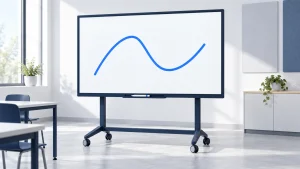
Vertical screens are common for directories, posters, and kiosks. Rotating any flat panel is physically easy; confirming that it is designed to operate that way is the important part. Vent paths, internal heat distribution, panel construction, mounting points, and warranty terms can be orientation-specific.
Look for supported orientation in the data sheet or installation manual. Do not assume that every consumer TV is prohibited or that every commercial display supports every orientation.
CMS playback is not the same as display management
A streaming stick or smart-TV app may receive scheduled content from a CMS. That solves the playback problem. It may not tell an operator that the panel has been switched off, changed to the wrong input, muted, disconnected, or left on a setup screen.
For a larger network, separate four layers:
- Content playback: can the device render the required images, video, web pages, or feeds?
- Content management: can staff publish, schedule, group, approve, and update content?
- Display control: can authorized staff control power, volume, input, buttons, and infrared access?
- Fleet monitoring: can staff see which screens are online, playing the correct content, or reporting an error?
When a consumer TV is enough
A TV can be the rational choice when most of these conditions are true:
- The screen is indoors and away from intense direct light.
- It runs during limited or normal business hours rather than continuously.
- Landscape orientation is acceptable.
- There are only one or a few screens.
- The content player is known to be compatible.
- Local staff can restart or replace the unit.
- Downtime is inconvenient, not operationally serious.
- The organization accepts the applicable warranty terms.
- A spare or rapid retail replacement is part of the plan.
This can fit a temporary event, a staff-room notice screen, a small office, an early content pilot, or a low-risk school deployment. ScreenCloud’s hardware guidance similarly notes that some users choose less expensive consumer TVs and replace them sooner, even while recommending professional displays for longer operating schedules.
When a commercial display earns its price
The additional cost is easier to justify when the project requires one or more of the following:
- A verified 16/7 or 24/7 operating schedule.
- Portrait orientation supported by the manufacturer.
- Higher brightness, reduced reflections, or window-facing options.
- Remote power, input, lockout, or health monitoring.
- A consistent model across a staged multi-site rollout.
- Commercial-use warranty or on-site support.
- Video-wall, kiosk, touch, public-space, or enclosure integration.
- Lower tolerance for blank screens and local service calls.
Commercial hardware is not valuable because it carries a professional label. It is valuable when a documented feature removes a documented project risk.
Compare total risk, not only purchase price
Risk-adjusted screen cost = purchase + installation + management + expected replacement effort + expected downtime impact
You do not need to invent a failure probability to use this model. Compare scenarios instead:
- Low-consequence scenario: a $400 TV can be replaced locally the same day, and the screen is non-critical. A spare may be cheaper than premium hardware.
- High-consequence scenario: a screen is installed high above a lobby, requires a lift and after-hours labor, or carries essential wayfinding. Replacement effort and downtime can outweigh the panel-price difference.
- Multi-site scenario: local troubleshooting across dozens of locations may cost more than centralized control and a stable model line.
Ten checks before you buy either one
- Exact model and regional data sheet.
- Stated duty cycle or recommended daily operating schedule.
- Allowed landscape/portrait orientation.
- Brightness and anti-glare treatment for the real location.
- Commercial-use and orientation warranty language.
- Player, operating-system, storage, and codec compatibility.
- Remote power, input control, lockout, and health reporting.
- Speakers, audio output, tuner, remote, and accessibility needs.
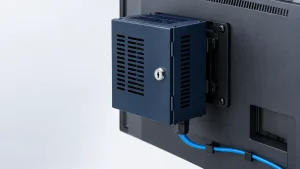
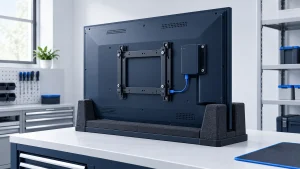
- Mounting pattern, ventilation clearance, service access, and safety.
- Replacement availability, support route, spares, and three-year cost.
Frequently asked questions
Can I turn a regular TV into digital signage?
Usually, yes. Add a compatible signage player or app, connect it to a CMS or local content source, and configure automatic startup and recovery. Test what happens after a power or network interruption. The result may still lack commercial warranty, portrait support, remote panel control, or high-brightness performance.
Can I use a commercial digital signage display as a home TV?
Often it can show video from an HDMI source, but it may lack a television tuner, consumer streaming apps, speakers, a familiar remote, or home-oriented image processing. Check inputs, HDCP support, audio, remote-control options, and power behavior for the exact model.
Will a TV warranty be void in a business?
It may be excluded or limited, but terms differ by brand, model, country, and purchase channel. Samsung’s business article states that consumer TV warranties are not intended for commercial use in its comparison; use that as a reason to read the warranty, not as a substitute for the warranty on your model.
Is burn-in the main difference?
No. Image retention risk depends on panel technology, content, settings, and use. For many projects, operating schedule, visibility, orientation, remote management, warranty, and serviceability are more practical decision factors.